This product plan is an example of my product management work for Military.com. It defined School Finder 2.0, a school directory that matches military servicemembers and veterans with schools and programs that fit their needs: tuition assistance and the GI Bill, distance learning, credit for service, portable credits, and schools near the bases where they’re stationed.
The plan sets the product vision and high-level requirements, benchmarks three competitors (Peterson’s, Princeton Review and FastWeb), and makes military-specific search the product’s differentiator. It maps the proposed search and lead-form flows, new search paths by academic program, military program and proximity to a military installation, and redesigned results and school profile pages. An appendix covers lead data, the current process flow, and every School Finder field and filter.
- CompanyMilitary.com (Military Advantage)
- DisciplineProduct management
- DeliverableProduct plan, presented as 22 slides
- ScopeVision, requirements, competitor benchmarking, user flows, search, results & profile pages
- AudienceServicemembers, Reservists, veterans and others with military education benefits
2.0
Military Advantage · Product plan
Confidential
Version 2.0
School
Finder
The best-in-class directory of schools and learning programs, built from a military-friendly perspective.
01 Vision
02 Requirements
03 Search & flows
04 Results & profiles
05 Appendix
01 · The vision
School Finder 2.0
© Military Advantage
2
The best-in-class directory on schools and learning programs on the Web — from a military-friendly perspective
Consumer needs
Financial benefits
Tuition Assistance, GI Bill, ROTC, military discounts or vouchers
Non-traditional learning
Distance learning (DANTES), online programs, CLEP
Academic programs
Searching for a particular field of study
Schedule flexibility
Programs that work around a deployment
Credit for service
ACE (MOS and schools), accelerated programs
Portable credits
SOC
Unique benefits
Scholarships specific to programs or schools
Location
Schools in a convenient location
What is a “military-friendly school”?
Military benefits: TA, scholarships, GI Bill, ROTC
Flexible learning: distance, online, CLEP
Portable credits: SOC
Credit for service: ACE
Location: near bases, with base-specific programs
Listings of its own military scholarships
02 · Requirements
School Finder 2.0
© Military Advantage
3
High-level requirements
01
Integrate the Dept. of Education database
02
Add basic keyword search
03
Add certificate and vocational programs to the “Type of Program” search
04
Advanced search: academic programs; “military-friendly” programs (DANTES, ROTC); proximity to a military installation
05
Improve the user flow with an integrated lead and search form
06
Better School Results and Profile pages: clearer design; “Do Another Search”; print and email this page; “Add this school to My School List”; tracking on every profile page
Who it’s for
All servicemembers, Reservists, veterans and others who can use military benefits for school
Metrics for success
Total education leads generated through School Finder
Number of searches per month
Tracking for individual school profile pages
02 · Benchmarking
School Finder 2.0
© Military Advantage
4
Takeaways from the competition
Common practice
Simple keyword search on the Basic Search page; print, email and “Add to My List” on profile pages
Peterson’s
Advanced Search kept easy with pull-downs and checkboxes; aggregated search, with location, academic and military filters working together
Princeton Review
A stronger look and feel for School Results and School Profile pages
Most sites
User–school matching tools
To explore
Clearer filter explanations, such as brief pop-up descriptions of academic and military programs
Full competitor benchmarking: Appendix, slides 18–20
Where we win
Search by military programs and benefits
Globally, under “military-friendly” programs, and specifically through military program filters (ROTC, SOC and more) and proximity to military installations.
Product differentiator
03 · Proposed flow
School Finder 2.0
© Military Advantage
5
Proposed flow of School Finder
Basic search
Advanced search
Gated
lead form
Search results
School profile
Search
Users start from the Basic or Advanced Search form
Gated
Non-members fill out the lead form before seeing results
Results
Preferred partners appear first, then all matching schools
Profile
Each school’s details, with the new profile tools
Search fields
Basic search
Keyword search* · Campus type · Type of program (adds certificate/vocational*) · Geographic preference, incl. non-CONUS, Canada, Europe · Academic program* · Military-friendly schools checkbox*
Advanced search
All of the above, plus: military programs* (ROTC, SOC, DANTES) · proximity to a military installation*
* New or revised
03 · Search forms
School Finder 2.0
© Military Advantage
6
Basic search form
Keyword
Free-form keyword search
New
Campus type
Online / Campus / Both (checkboxes)
Type of program
2-year / 4-year / Graduate / Certificate or vocational (checkboxes)
New
Academic program
Pull-down of major programs, plus a link to the full list
New
Geography
Pull-down, including non-CONUS, Canada and Europe
Military-friendly
One checkbox, with a pop-up explanation
New
“Military-friendly schools” means any school with a military benefit: discounts and incentives, scholarships, tuition assistance, online programs (DANTES), portable credits (SOC) or credit for service.
Advanced search
Advanced search adds
Military programs: checkboxes for ROTC, SOC, DANTES and more, each explained
Military installations: a pull-down menu
Key points
Users must see right away that search can be military-friendly
They can refine those results by a specific military program
Certificate and vocational programs are part of the filters
03 · User flow
School Finder 2.0
© Military Advantage
7
Scenario 1: combine search with lead form page 1
The change is the same for the Basic and Advanced Search forms.
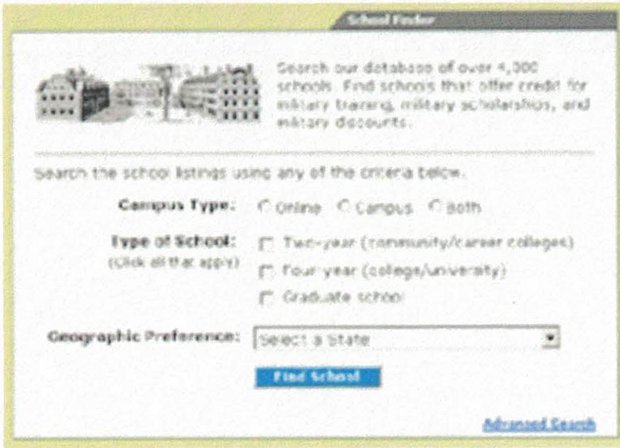
Search form
+
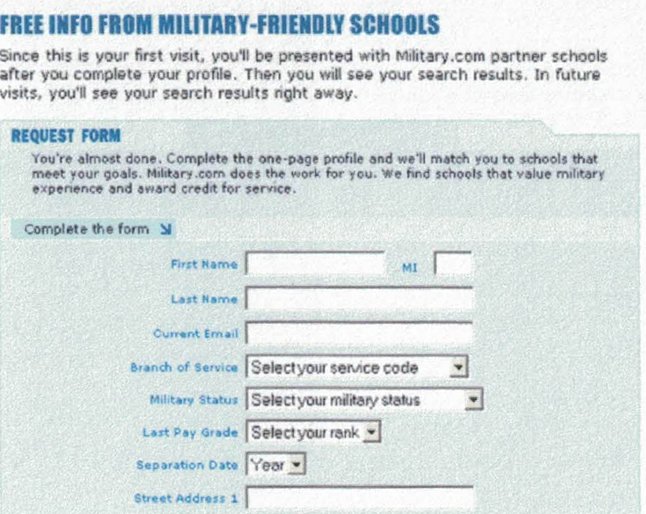
Lead form, page 1
=
New search form
Not a member: search fields plus page 1 of the lead form (name, email, branch of service, pay grade)
Logged in: search fields only
After the search
Selects a school
The user gets a short set of follow-up lead questions (double opt-in)
Lead already sent
That school is “subtracted” from the list — or shown, but the user can’t apply twice
03 · User flow
School Finder 2.0
© Military Advantage
8
Scenario 2: keep the current user flow
1. Search form
2. Not a member: page 1 of the lead form
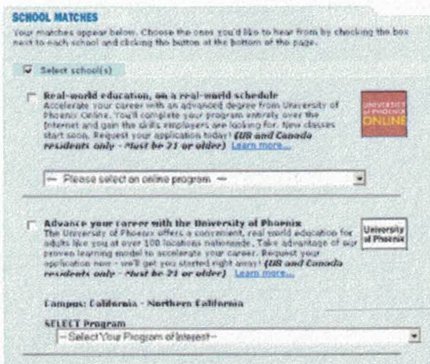
3. First results: preferred partners from the lead form
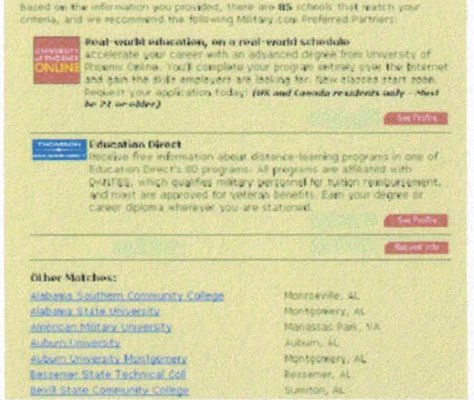
4. Then: the complete results
Logged in
Skips the lead form and goes straight to search results
Lead already sent
That school is “subtracted” from results — or shown, but the user can’t apply twice
03 · Search paths
School Finder 2.0
© Military Advantage
9
Search by academic program
From the Basic Search page
Academic program pull-down
30–40 top fields
Search results
School profile
“Browse academic programs” link
A–Z program index
see next slide
How it searches
Every preferred partner, plus the full school database
Searches run through all preferred partners, with an extra filter that uses the member’s personal data, as well as the school database.
03 · Search paths
School Finder 2.0
© Military Advantage
10
Browsing academic programs
1
Major programs page
A “table of contents” of the 25–30 most common programs, plus an A–Z list
2
A–Z program index
Every academic program, organized by letter
3
Academic program page
Every school offering the program; preferred partners can be listed first
4
School profile
The user selects a school
Index example: A
Accounting · Advertising and Public Relations · Advertising Design: Visual Arts · American Studies · Aquaculture and Aquarium Sciences · Art · Art History · Art Education · Athletic Training Education · Aviation Management
Program page example
Academic program: Art History
Brown University
Cornell University
Harvard University
03 · Search paths
School Finder 2.0
© Military Advantage
11
Two new advanced-search filters
Both run from the Advanced Search page with all other filters applied.
Proximity to installation
Drop-down of all military installations
School results: every school near the base by zip code AND programs meant for it — e.g. NAS Whidbey Island: Northwest College, Seattle University, Shoreline CC, Skagit Valley College, University of Washington
School profile
Military programs
Checkboxes: SOC, ROTC, DANTES, ACE credits, scholarships and discounts, with “What is this?” pop-ups
School results filtered by the selected programs
School profile
04 · Results & profiles
School Finder 2.0
© Military Advantage
12
Basic search results: proposed concept
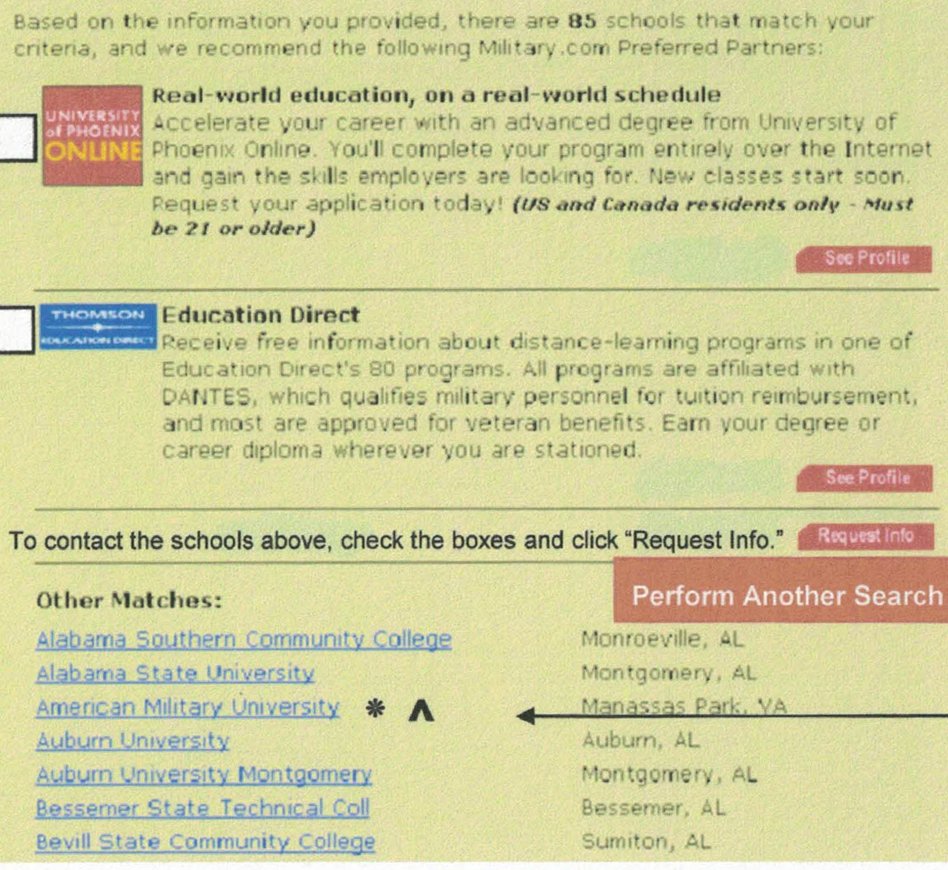
UI to be designed
Select several
Checkboxes let users send a lead to more than one school
Request info
Contact several partner schools at once, for faster lead velocity
Another search
A “Perform Another Search” button for an easy return
Military icons
Icons mark military programs such as SOC and ROTC
Possible look-and-feel changes
Sort results by tuition, number of military-friendly programs, 2-year or 4-year programs (Version 3.0)
Feature preferred partners on the right side of the page, like Google’s paid sponsors
04 · Results & profiles
School Finder 2.0
© Military Advantage
13
School profile: new functionality
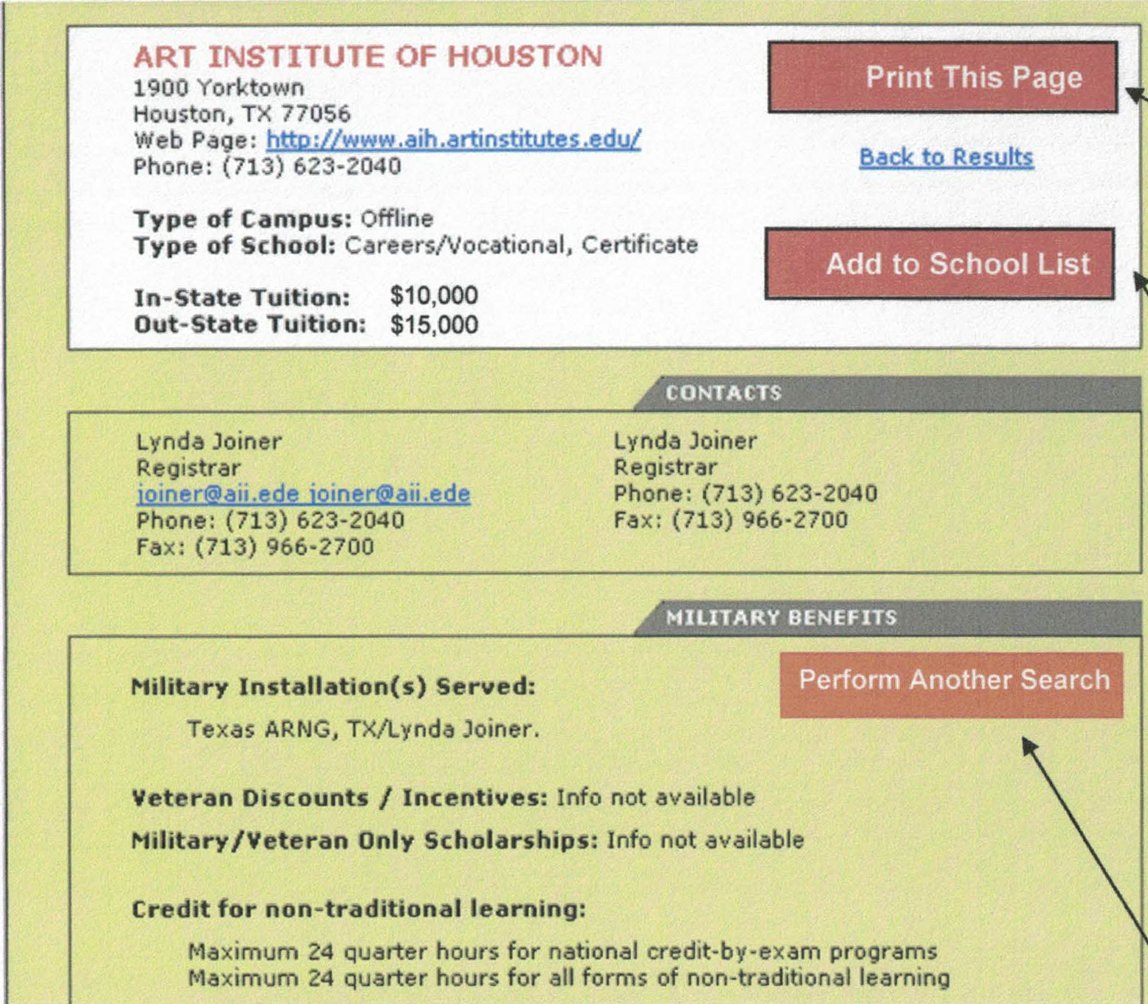
Print this page
New, and “Email this page” is also possible
Add to School List
Saves the school to a “School List” page the user sees on every visit; useful for comparing schools
Another search
A “Perform Another Search” button for an easy return to the search engine
Tracking
Every school profile page is tracked to measure popularity
04 · Results & profiles
School Finder 2.0
© Military Advantage
14
My School List: compare saved schools
New: a “School List” page, reachable anywhere in School Finder, with the profile of every school the user saved and side-by-side comparison. Example:
| School | CLEP / DSST | ACE | SOC | Discounts | Distance learning | Non-trad. credit | Military-friendly index |
|---|---|---|---|---|---|---|---|
| University of Phoenix | Yes | Yes | Yes | No | Yes | Yes | 5 |
| Capella | Yes | Yes | Yes | No | Yes | Yes | 5 |
| Liberty | Yes | Yes | Yes | Yes | Yes | No | 5 |
| Columbia Southern University | Yes | NSP | Yes | Yes | Yes | No | 4 |
| St. Leo University | Yes | Varies | Yes | Yes | Yes | No | 4 |
| Humboldt State | Varies | No | Yes | No | No | Yes | 2 |
Appendix
Reference
16–17
Current metrics and stats
18–20
Benchmarking our competitors
21
Current School Finder process flow
22
School Finder fields and filters
© Military Advantage
15
05 · Reference: metrics
School Finder 2.0
© Military Advantage
16
School Finder by the numbers
Stats from the last six months. The 70% is based on 9,828 of 13,995 responses.
163,307
Total education leads
13,882
Leads through School Finder (8.5% of all)
12,162
Leads through Scholarship Search
70%
of School Finder leads planned to enter school in 2003
Conclusion
Most School Finder users are active duty, with a high school diploma or some college credit, and want a bachelor’s or master’s degree. Searching by proximity to an installation and by military programs (DANTES, SOC) would serve them well.
05 · Reference: metrics
School Finder 2.0
© Military Advantage
17
Who sends leads through School Finder
Share of School Finder leads, last six months. “Credits” means some college.
By status
Active Duty
43.4%
Veteran / Prior Service
18.9%
Retired Military
8.8%
Reservist (Drilling)
6.9%
National Guard
6.5%
Considering Joining
3.7%
Other
3.3%
Inactive Reserve/Guard
2.4%
Spouse
2.2%
By service
Army
34.3%
Navy
22.5%
Air Force
19.9%
Marine Corps
11.5%
None
7.5%
Coast Guard
2.8%
DoD
0.9%
Education level
High school diploma
23.3%
0–23 credits
22.2%
60–119 credits
17.6%
24–59 credits
17.1%
Bachelor’s degree
14.9%
Master’s degree
3.6%
Unknown
2.8%
Education goal
Bachelor of Science
26.5%
Master’s degree
23.8%
Bachelor of Arts
20.3%
Unknown
11.5%
Associate degree
8.6%
05 · Reference: benchmarking
School Finder 2.0
© Military Advantage
18
Benchmarking: Peterson’s
Keyword search
Simple, Google-style keyword search for general search
Advanced search
Pull-downs and checkboxes, including academic programs
Layout
Good, with “sequential” search filter pages
School profiles
Good quick links (Email this School, Apply Now, Print, Email to a Friend, “Add to My List”), but mostly non-essential information
Our opening
No military-related search filters. We can provide an advantage here.
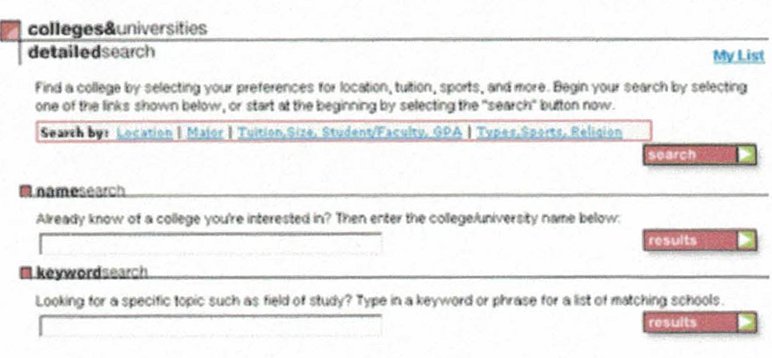
Basic search
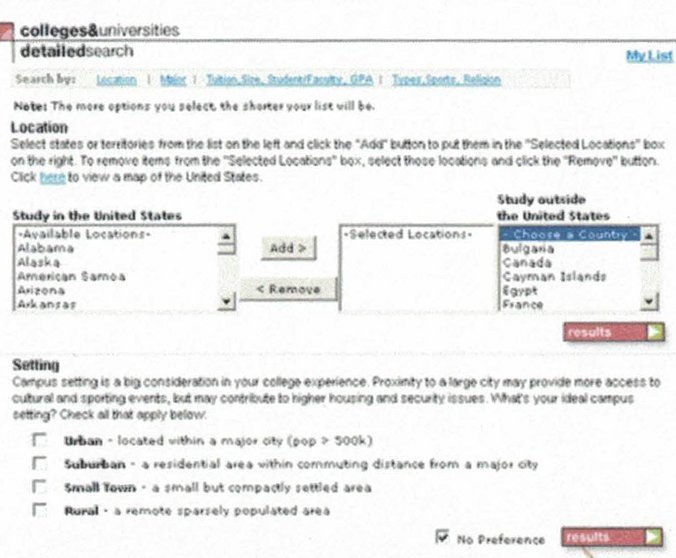
Detailed search
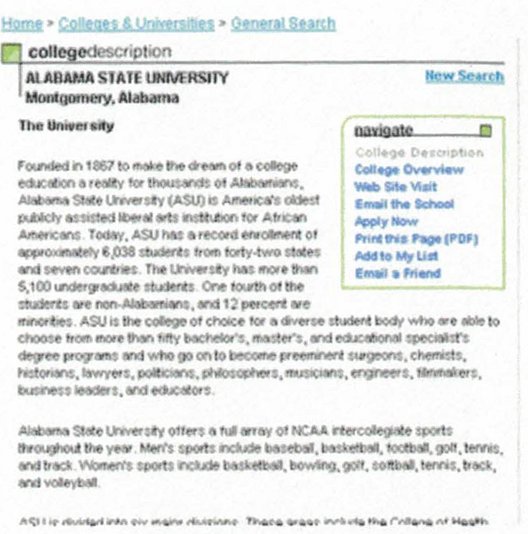
School description
05 · Reference: benchmarking
School Finder 2.0
© Military Advantage
19
Benchmarking: Princeton Review
Search tools
Five: keyword, major, region, “Best 351 Schools,” Counselor-O-Matic (lead form)
Useful features
“My Review” saves or deletes past results; “What Are My Chances?” estimates admission odds through a lead form
School profiles
Clear sections (general info, admissions, academics, cost and aid) with hot-button links; student loan info is a possible avenue
Weak spots
Search tools aren’t linked for advanced search; the site targets students starting school, not those returning
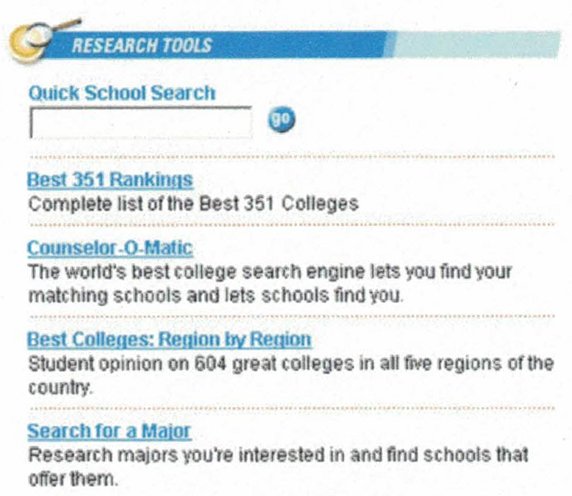
Search tools
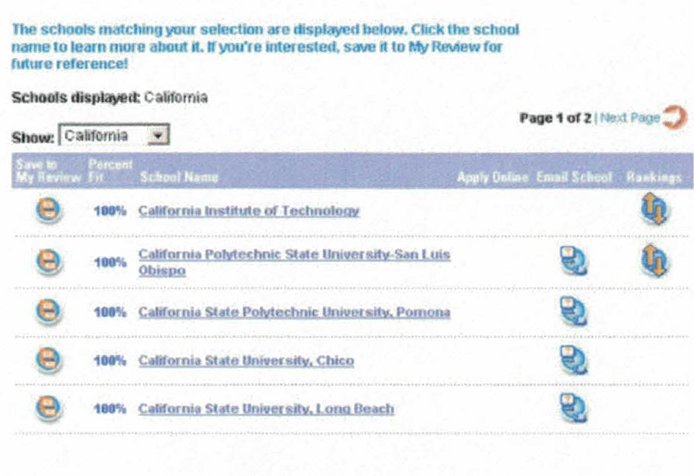
Search results
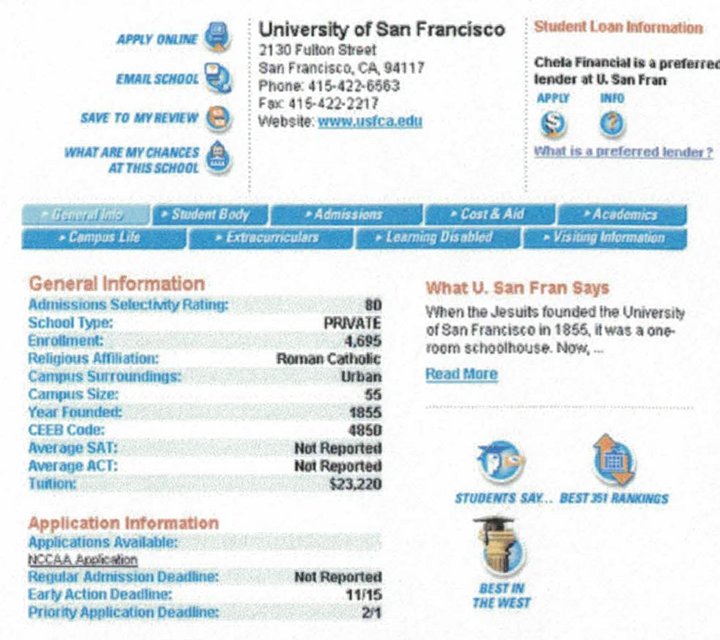
School profile
05 · Reference: benchmarking
School Finder 2.0
© Military Advantage
20
Benchmarking: FastWeb
Lead form
Lengthy: 11 pages (8 of form, 3 of preferred-partner school ads), leading to precise results
Saved results
Results save automatically to the user’s profile page for every visit
Sorting
Alphabetical, by tuition, unread vs. read and more
School profiles
Little in-depth information (on a major, outside opinions of the school)
Matching
A user–school match tool, but the UI is unwieldy
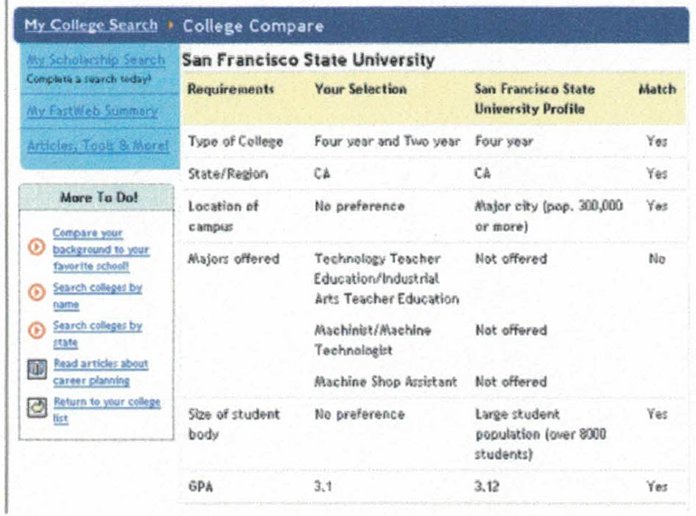
School match tool
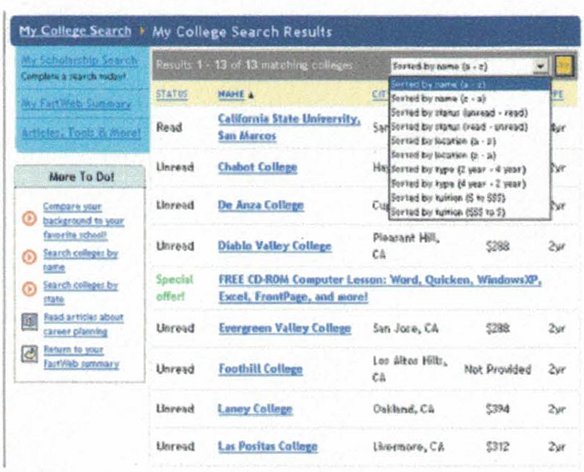
Search results
05 · Reference: current flow
School Finder 2.0
© Military Advantage
21
Current process: the gated lead form
Search form
Lead form, page 1: basic info
Next pages: school matches
School search results
Not logged in
1. Fill out the search form · 2. Fill out lead form page 1 · 3. See preferred partner schools based on the profile · 4. See results after finishing the lead form
Logged in
1. Fill out the search form · 2. See the search results
The problem
Users may see partner programs twice (in the lead form and in the results), and the jump from search form to lead form is abrupt.
05 · Reference: fields
School Finder 2.0
© Military Advantage
22
School Finder fields and filters
School information
Name · Street · City · State · Zip code · Country · Email · Website URL · Phone · Admissions office phone · Fax
Tuition
In-state · Out-of-state
Programs
Campus type: online / campus / both · School type: 2-year / 4-year / graduate / certificates · Class type: full-time / part-time
Areas of study
Career/vocational · University/college · Graduate · Certificates
Non-traditional credit
Exam credit · Non-traditional credit
Military benefits
Installation served · Veteran discounts and incentives · Military scholarships · Scholarship description · Credits awarded · Military experience · Army MOS · Navy rates and ratings · Marine Corps MOS · Coast Guard rates and ratings
Member of
SOC · SOCAD · SOCNAV · SOCMAR · SOCGUARD · CONAP · DANTES
Admin fields
Linked to education partner? · Allow updates · Other locations · Logo URL · Page-to-include URL · Source · SOC Guide ID
New functionality
“Add this school to my list” · Print this page · Email this page
Use the arrow keys or swipe to move through the slides.